SUGARDADDYMEET APP
Are you a respectful, generous man looking for an honest
relationship, or an attractive, classy woman looking for a mentor?
Get the SDM app today and discover your potential sugar daddy or
sugar baby with just a tap.
JOIN NOW
Get the App

AVAILABLE ON
Android
ADD TO SCREEN
On Your iPhone
Unlike other places, profiles promoting prostitution or looking for
online-only relationships will be banned.
EXPERIENCE SDM ON YOUR IPHONE
The SugarDaddyMeet app is currently not available on the iOS App
Store. However, you can enjoy an app-like experience using the SDM web
app on your iPhone. The SDM web app employs the latest front-end
technology, ensuring a smooth and seamless experience similar to an
iOS app, and it can be conveniently added to your home screen for easy
access.
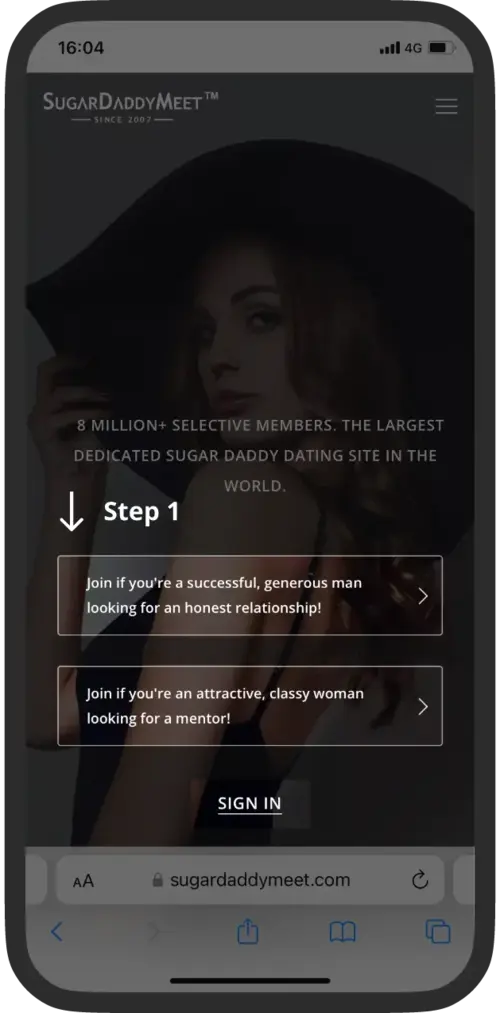
For iOS
Step 1:
Join or sign in to SugarDaddyMeet using the Safari browser.
Step 2:
Tap the "Share" icon located below the URL bar.
Step 3:
Select "Add to Home Screen" from the menu.
Step 4:
Tap "Add" in the top-right corner.
The SDM app icon will now appear on your home screen for quick access.
JOIN NOW


DOWNLOAD THE SDM ANDROID APP
The SugarDaddyMeet Android app provides a secure and seamless
experience, specifically tailored for your Android device. You can
easily download the SDM APK directly from our website. With just a few
taps, you can access a world of exciting features and services, all
optimized for your Android experience. Download the APK now to start
your journey with SDM.
For Android
Step 1:
Join or sign in to SugarDaddyMeet.
Step 2:
Tap the "Profile" icon at the bottom of the screen.
Step 3:
Tap "Install Our App Now".
Step 4:
Tap "DOWNLOAD APK". Wait a moment – the download
will start and finish by itself.
Well done! The app will be displayed on your home screen.
JOIN NOW


